Quick answer: Start with the server and switch you already have. A 10GbE network adapter must fit the server's supported slot, present a port that works with the switch, and support the cable or optical modules at both ends. An SFP+ port does not accept an ordinary RJ45 patch lead directly. Match the exact NIC, switch port, transceiver or direct-attach cable, and required distance before purchasing.
Adding 10GbE can help a virtualization host, storage network, or backup server move more data, but the adapter is only one piece of the connection. A listing for a “dual-port 10GbE card” does not tell you whether it takes copper Ethernet cable, an SFP+ direct-attach cable (DAC), or fiber optics. Use this guide to define the complete link and avoid a card that fits physically but cannot connect to your switch.
First Choose the Port: SFP+ or RJ45
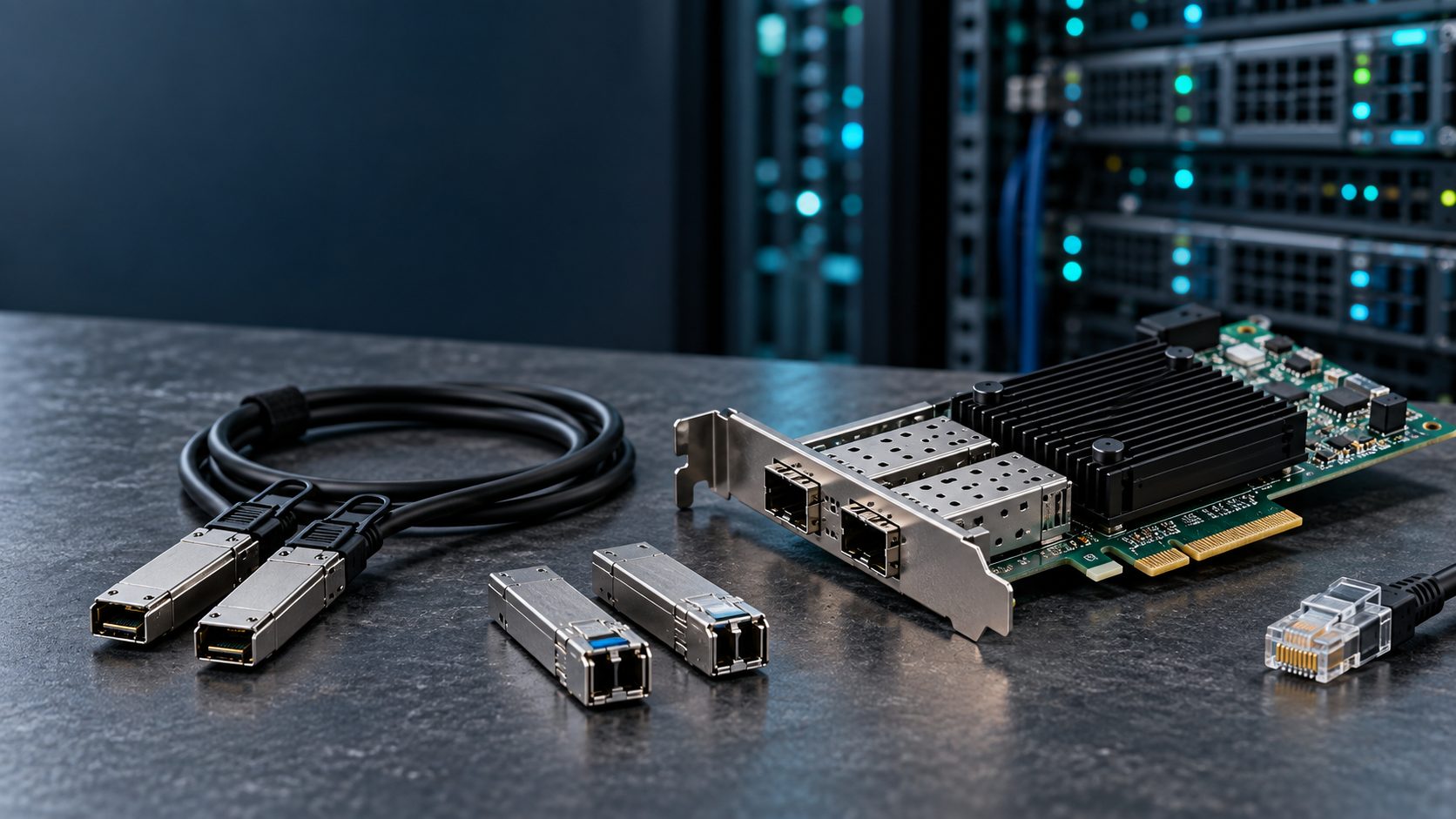
SFP+ is a small pluggable 10GbE interface. Depending on the NIC and switch compatibility lists, an SFP+ port can use a supported DAC assembly, active optical cable (AOC), or optical transceiver with suitable fiber. The media choice can change without replacing the card, subject to the exact adapter's qualifications.
RJ45 10GBASE-T accepts twisted-pair copper Ethernet cabling and needs a matching 10GBASE-T switch port. Cat6A is the straightforward choice for a planned 100 m 10GbE channel when installed to specification; existing Cat6 runs require assessment because attainable distance depends on installation and conditions. Cisco's Catalyst hardware guide gives 100 m over Cat6A for 10GBASE-T. Check the actual NIC's rated speeds: some 10GBASE-T models also support 5, 2.5, and 1GbE, while others have different speed sets.
These port types are not interchangeable just because both say “10GbE.” An RJ45 cable cannot be plugged into an empty SFP+ cage. Some SFP+ to RJ45 transceivers exist, but support, power, thermal limits, cable length, and switch restrictions are model-specific. Specify a native RJ45 NIC and switch port when copper twisted-pair is the intended connection unless the exact SFP+ copper module is explicitly approved at both ends.
Choose the Media for Each Link
| Connection | Typical use | Compatibility questions |
|---|---|---|
| Passive DAC | Short connections within or between nearby racks | Is the exact assembly and length supported by both the NIC and switch? |
| AOC | Preterminated optical cable when a supported direct SFP+ link is useful | Are the attached ends approved on both devices, and is the fixed length right? |
| 10GBASE-SR optics | Short-reach fiber links | Do both ends support the optics, and is the installed multimode fiber grade suitable? |
| 10GBASE-LR optics | Longer fiber links | Do both ends support the optics and the single-mode fiber path? |
| 10GBASE-T RJ45 | Twisted-pair copper infrastructure | Do both ports support 10GBASE-T, and does the installed cabling meet the channel requirements? |
A DAC is a twinax copper cable with SFP+ connectors attached at both ends; it does not need separate plug-in optical modules. An AOC also has integrated SFP+ ends but carries the signal through a fiber cable. For separate optical modules, 10GBASE-SR is associated with multimode fiber and 10GBASE-LR with single-mode fiber. Actual reach depends on the module and fiber specification, so check the manufacturer's link budget and supported fiber grade rather than applying one distance to every product. Cisco's SFP+ module data sheet lists examples of SR, LR, DAC, and AOC media and their distinct qualifications.
For an optical link, document the fiber type, connector, patch panels, distance, and transmit/receive path. A pair of optics may fit their cages yet fail to establish a link if the media, wavelengths, connector path, or receive polarity do not match. Check each switch and adapter vendor's supported transceiver list for the precise part numbers and software versions.
Check the Server Before Choosing a NIC
- Confirm the adapter form factor. A standard PCIe add-in card and an OCP NIC module use different physical slots. OCP generation, connector type, placement, airflow, and server qualification also matter. A server with an OCP slot does not automatically accept every OCP adapter.
- Confirm PCIe fit and bandwidth. For an add-in card, check its mechanical slot length, electrical lane count, PCIe generation, and chassis clearance. A card in a constrained slot can have less host bandwidth than its port count suggests. Match the manufacturer's slot requirements and the server manual.
- Confirm port count and speed. Decide whether the host needs one link, separate storage and production links, or redundancy. Record the speed supported on each port; do not infer 1GbE operation from a 10GbE label alone. Intel's X710 family listings show how RJ45 and SFP+ models can have different physical interfaces and speed combinations within one product family.
- Confirm software and service support. Check the exact NIC part number against the server vendor's hardware list, the operating system or hypervisor driver, required firmware, secure-boot policies where relevant, and the support contract. Some OEM-qualified versions have different firmware and support rules from a retail card with a similar controller name.
- Confirm installation details. Note the full-height or low-profile bracket, cooling and power requirements, available riser, and whether the server's BIOS or management tools need an update.
Check Both Ends of an SFP+ Connection
The same connector shape is not a compatibility guarantee. The NIC vendor and switch vendor may each qualify particular DACs or optics. The vendor-specific coding, cable length, active versus passive design, firmware level, and port configuration can affect support. For example, Intel's X710 SFP+ compatibility guidance names supported cables and modules and gives conditions for active-cable support. Treat that as guidance for the listed X710 adapters, not for every 10GbE card.
For a mixed-vendor link, check both support matrices and identify a cable or module combination qualified for both endpoints. If one side does not explicitly list the proposed part, ask the vendor or integrator to validate it before ordering. Also verify that the switch port is enabled and configured for a speed and media type the NIC actually supports.
Example: Specifying a Two-Port Server Upgrade
Suppose a server has a supported PCIe slot and the top-of-rack switch offers two SFP+ ports. Both ports are in the same rack, and the required runs are a few meters. A practical starting specification is a server-approved dual-port SFP+ NIC plus two separately validated passive DAC assemblies of the measured length. Confirm switch-side support for those DAC part numbers. A fiber design could also work, but would require compatible optical modules at each end and the correct patching.
If the switch instead has only 10GBASE-T RJ45 ports and the building already has qualified Cat6A channels, evaluate a server-approved RJ45 10GbE NIC. A DAC cannot connect directly to those RJ45 ports. If the switch has neither suitable port type, include the switch upgrade or an approved alternative in the project scope.
What to Check When the Link Stays Down
- Check the card is recognized by the server and that the expected driver and firmware are loaded.
- Confirm the switch port is enabled, assigned as intended, and reports the inserted cable or optic without an unsupported-media error.
- Compare exact part numbers against both vendors' supported-media lists, including cable type, length, and software version.
- For fiber, verify matching optical standards, fiber type, connector cleanliness, and transmit/receive polarity.
- Verify the speed available on both ports. Some SFP+ adapters support 1GbE with certain modules; others do not, and 10G links may need the correct media before they come up.
- Test one known-good port and supported cable at a time, then inspect link counters and logs before changing application or VLAN settings.
If the physical link comes up but throughput is low, investigate PCIe bandwidth, server CPU and storage limits, switch congestion, packet errors, driver settings, and workload characteristics. An advertised 10GbE link rate is not a guarantee that every file transfer will run at 10 gigabits per second.
Send a Complete Parts Request
Include the server make and exact model, available PCIe slot or OCP specification, operating system or hypervisor version, switch make and model, port type, number of links, measured cable distance, installed fiber or copper type, desired redundancy, and any OEM qualification requirement. Ask for the exact NIC, cable or transceiver part numbers, brackets, and compatibility evidence. You can submit your 10GbE networking requirement to C Plus Electronics with those details for a part-specific quote.
Frequently Asked Questions
Can I plug an Ethernet patch cable into an SFP+ NIC?
Not directly. An ordinary RJ45 plug does not fit an SFP+ cage. A supported SFP+ copper transceiver may be an option for some hardware, but verify the specific module, power, thermal rules, link length, and switch compatibility first.
Do I need a transceiver for an SFP+ DAC cable?
No separate optical transceivers are needed: the SFP+ ends are integrated into the DAC assembly. Both devices must still support that cable type and part number.
Is every SFP+ port compatible with 1GbE?
No. The supported speeds depend on the particular NIC, switch port, module, and software. Check the data sheets and compatibility lists for both endpoints.
Conclusion
Buy the entire link, not just the adapter. Start with the server slot and switch port, choose SFP+ or RJ45, then validate the exact cable or optics, length, software, and vendor qualifications at both ends. A complete parts list makes a 10GbE deployment easier to install and support.