Quick answer: Choose the DDR5 memory type specified for your exact server or workstation model. A DDR5 ECC RDIMM is registered memory; a DDR5 ECC UDIMM is unbuffered memory. Both can support system-level error correction when the platform enables it, but they are not interchangeable. A matching DDR5 label or advertised transfer rate does not establish compatibility.
For an IT buyer, the real task is to identify the supported module type, capacity, speed, rank, and population pattern before ordering. This guide explains the differences and gives you a practical way to verify an upgrade.
DDR5 RDIMM vs UDIMM: The Essential Difference
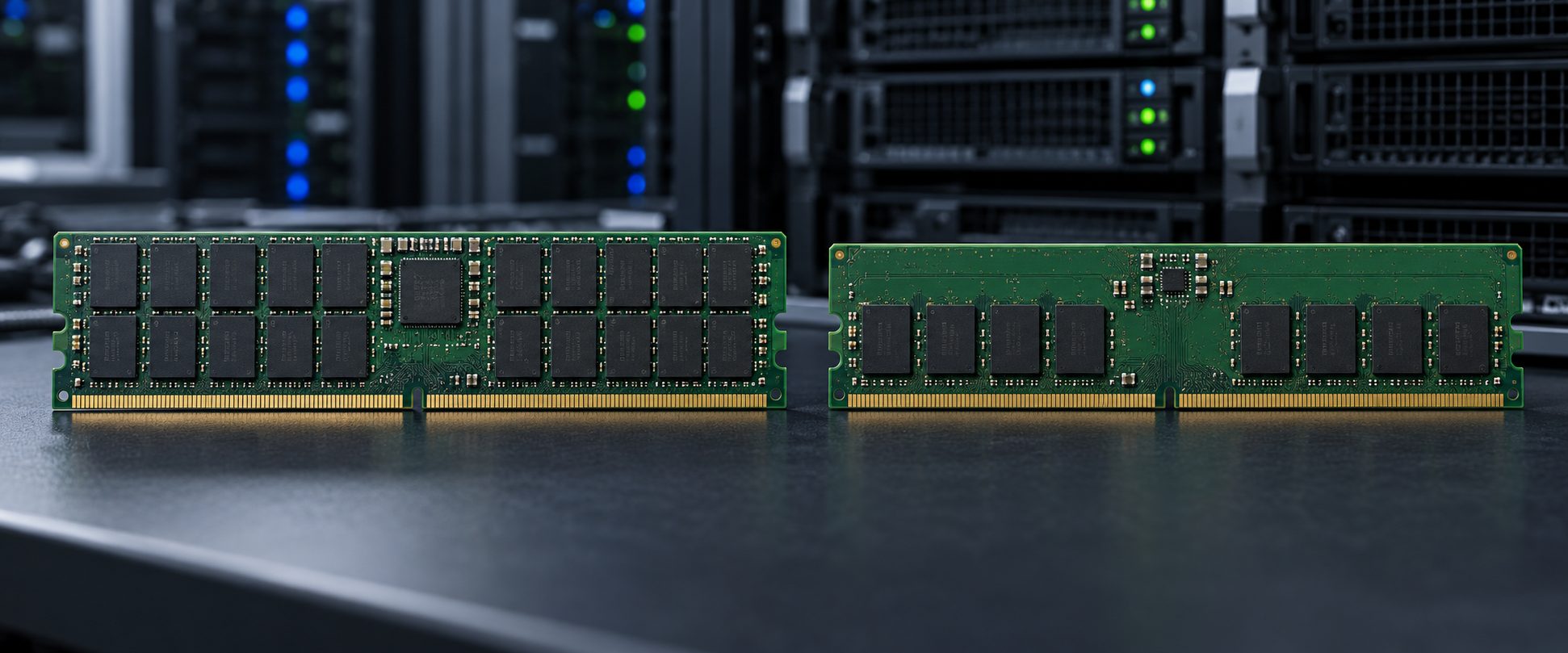
A UDIMM connects its DRAM devices to the processor's memory controller without a register buffering their command and address signals. An RDIMM uses a registered clock driver to reduce the electrical load presented to the controller. This helps server platforms scale to more demanding memory configurations. The presence of a register is a module design distinction, not a speed grade or a synonym for ECC.
| Question | DDR5 ECC UDIMM | DDR5 ECC RDIMM |
|---|---|---|
| Module design | Unbuffered | Registered clock driver |
| Typical application | Compatible entry-level servers and workstations | Compatible enterprise servers and high-capacity platforms |
| System-level ECC | Possible when module and platform support it | Supported on the appropriate server platform |
| Can it replace the other type? | No | No |
| What decides support? | Exact system model, processor, firmware, approved memory specifications, and population rules | |
DDR5 RDIMMs and ECC UDIMMs have different module keying and must not be forced into one another's slots. Kingston's server-memory guidance also states that registered and unbuffered DDR5 modules cannot be mixed. Start with the system manual even when the seller's listing calls both modules “server RAM.”
ECC, On-Die ECC, and Registered Memory Are Three Different Things
ECC memory supplies the extra information that a compatible memory controller uses to detect and correct certain errors across the memory subsystem. An ECC UDIMM is still unbuffered; an ECC RDIMM is registered. The processor, board, and firmware must support the appropriate ECC configuration.
DDR5 on-die ECC works inside individual DRAM chips. It is present in DDR5 designs but does not turn an ordinary non-ECC UDIMM into an ECC module with end-to-end, system-level correction. Check the actual module specification when ECC is a procurement requirement.
Registered describes the buffering of command and address signals on an RDIMM. It does not mean that every module with “ECC” in its description can be used in an RDIMM-only machine. These terms answer different questions, so keep them separate on a purchase order.
Which DDR5 Type Does Your Server Support?
The answer is model-specific. For example, Dell's PowerEdge R7615 memory guidelines specify DDR5 RDIMMs and list supported ranks, capacities, and operating speeds. That does not make the same DIMM compatible with every PowerEdge model. Another board may call for ECC UDIMMs instead. A compatible DDR5 generation alone is never enough evidence.
Use this sequence when planning an upgrade:
- Identify the exact machine. Record the server or motherboard model, hardware revision, installed processor, and firmware version. A broad product family name is insufficient.
- Read its memory support table. Confirm DDR generation, UDIMM or RDIMM, ECC requirement, supported capacities and ranks, and any approved part numbers or qualified-vendor list.
- Check the installed modules. Record their full manufacturer and OEM part numbers, capacity, speed rating, rank organization, and which slots they occupy. A management controller or inventory tool can help, but compare its output with the physical label and documentation when details are missing.
- Plan slot population. Follow the manual's channel and processor-specific order. A two-processor machine may need balanced population for its intended performance or supported configuration. Do not assume sequentially numbered slots are the correct order.
- Check firmware and speed behavior. The usable speed may be lower than the DIMM's printed rating because of CPU limits, firmware, module type, or the number of DIMMs per channel.
- Match the quote to the requirement. Confirm the full part number, quantity, condition, and any required OEM validation before ordering.
Why a DDR5-6400 Label Does Not Guarantee 6400 MT/s
A module's rated transfer speed describes the module, not a guaranteed speed in every server. The processor and motherboard may impose a lower supported ceiling; using additional slots per channel can also change the operating speed. Kingston's server-memory selection guide recommends checking the processor and the number of populated modules per channel.
The Dell R7615 illustrates the distinction: its published memory table lists a 4800 MT/s operating speed for its supported configurations and notes that a faster 6400 MT/s rated DIMM may run at the processor's supported 4800 MT/s limit. Treat that as an example for that model, not a universal DDR5 rule. If bandwidth matters, compare supported configurations for your exact processor and workload rather than buying solely by the highest printed speed.
Capacity, Ranks, and Population Matter as Much as Speed
Capacity planning begins with application demand and expected growth. A virtualization host with many active VMs may need more total memory than a light file server, but an oversized module has little value if the platform cannot recognize its density or rank organization. “64 GB DDR5 ECC” is therefore not a complete compatibility specification.
A rank is a group of DRAM devices accessed together; module listings may show markings such as 1Rx8 or 2Rx4. The supported ranks and capacities depend on the memory controller and server validation. Some high-density or newer DRAM configurations may also require a BIOS update. Consult the model's memory matrix instead of inferring support from another machine that uses the same DDR generation.
Spread modules across channels according to the manufacturer's diagram. In dual-processor systems, check whether each processor has its required local memory and whether the planned channel balance meets the platform's rules. An uneven population can reduce useful bandwidth or produce a configuration warning even when the DIMMs themselves are compatible.
How to Read a Memory Listing Before You Buy
Copy the complete manufacturer or OEM part number and check these fields against the manual:
- DDR generation and physical module type: DDR5 ECC UDIMM or DDR5 ECC RDIMM
- Capacity per module and number of modules in the order
- Rated transfer speed in MT/s and the system's supported operating speed
- Rank and DRAM organization, such as 1Rx8 or 2Rx4, where specified
- OEM qualification or approved part number when required by the deployment policy
- Condition, warranty terms, and traceability for the exact quoted item
For example, C Plus Electronics lists a Dell AD089130 64 GB DDR5 ECC RDIMM. Its description identifies a registered module, 2Rx4 organization, and 6400 MT/s rating. Those details help narrow a search; they do not prove compatibility or the resulting speed in your server. Verify the OEM part number against your machine's current support information before requesting a quote.
By contrast, the site's Samsung 32 GB DDR5 UDIMM article concerns an unbuffered module. Its DDR5 generation does not make it a substitute for an RDIMM in a registered-memory server. A buyer should confirm the exact Samsung part's specification and the target system's supported memory type independently.
Common Upgrade Mistakes
- Buying by capacity and speed alone: The missing UDIMM/RDIMM designation can make an otherwise attractive listing unusable.
- Confusing on-die ECC with system ECC: Specify ECC at the module and platform level if error correction is required.
- Mixing memory types: A registered DIMM and unbuffered DIMM are not a valid mixed configuration.
- Assuming rated speed is guaranteed: Check CPU and population limits before paying for a higher speed grade.
- Ignoring the slot diagram: Correct modules in the wrong population pattern may lose performance or fail validation.
- Approving a shortened part number: Suffixes and OEM identifiers can distinguish materially different modules.
Frequently Asked Questions
Can I install a DDR5 RDIMM in a DDR5 UDIMM server?
No. DDR5 registered and unbuffered DIMMs are distinct module types with different keying. Use only the type explicitly supported by your machine.
Does every DDR5 module provide server-level ECC?
No. On-die ECC inside a DDR5 DRAM chip is different from the ECC functionality of a suitable memory module and supporting platform. Verify the complete module and system specifications.
Can I mix two different capacities of RDIMM?
Rules differ by server. Some platforms allow certain mixed-capacity configurations under specific channel and rank restrictions; others require matching modules. Follow the exact model's memory population matrix and approved configuration list.
Will a DDR5-6400 RDIMM always run at 6400 MT/s?
No. Its operating speed depends on the server, processor, firmware, and memory population. A faster-rated module can operate below its rating when the platform requires it.
Final Buying Checklist
For a reliable DDR5 server memory purchase, send the supplier your exact server model and CPU, current DIMM part numbers, desired total capacity, proposed module count, and the manufacturer's supported memory type. Ask for a quote tied to a complete part number and confirm the population plan before installation. You can submit your memory requirement to C Plus Electronics with these details so the quoted item can be evaluated against the actual platform.